Faceless YouTube Shorts
No camera, no mic, no editing. A narrated, captioned Short from one line of text.
AI YouTube Shorts generator
Shortmint is an AI YouTube Shorts generator. It writes the script, makes every picture, records the narration, adds word‑by‑word captions and renders a ready‑to‑post vertical video. Then it keeps your channel publishing — on YouTube, Instagram and Facebook — while you sleep.
Publish straight to
Ready‑made captions for
How it works
Every step a video editor would do by hand, done in order, cached as it goes — so nothing is ever made twice.
Type one line — “why your eyes have a blind spot” — or upload a whole file of ideas. Each line becomes its own video.
A tight, six‑part story built to hold attention: hook, mystery, explanation, payoff, twist, call to action. Every scene gets narration, a picture, a caption and a sound note.
One image per scene, generated in your house style. Or upload your own for any scene — mix and match freely.
Natural narration, captions that light up word by word, and camera moves chosen for each shot so it never looks like a slideshow.
Title, description, hashtags, tags and thumbnail are written for you. Upload in one click, or let the schedule do it.
Made with Shortmint
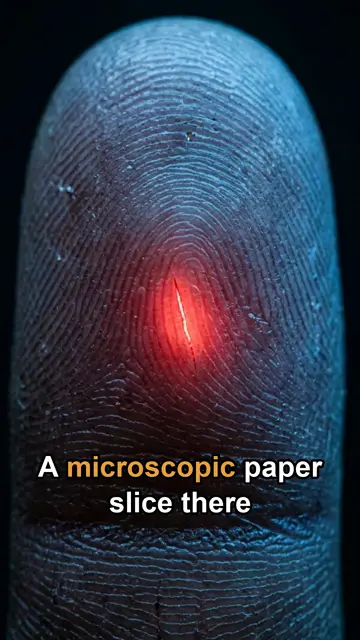
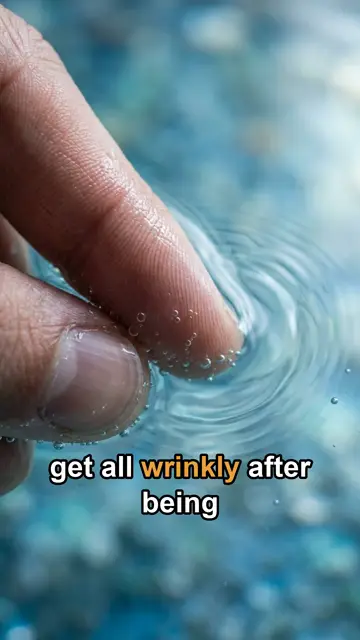
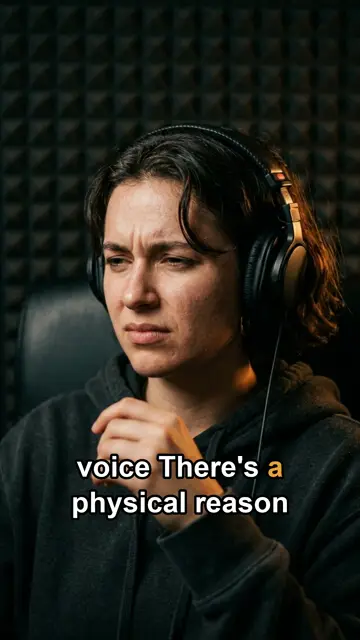
These three come from BioCurious, a biology channel that makes its Shorts with Shortmint. Each one started as a single topic line.
Tested on a real channel
BioCurious is made end to end with Shortmint, and these are its own YouTube numbers. They're small and real: a new faceless channel, not a case study picked from thousands.
The best-kept video so far is “”. What the channel learned from these numbers is written up on the About page.
Use cases
The same pipeline makes faceless Shorts, Reels, TikToks and full-length YouTube videos.
No camera, no mic, no editing. A narrated, captioned Short from one line of text.
Make and upload Shorts on a schedule, with the title, tags and thumbnail written for you.
Type a sentence, get a 30–40 second vertical video with voice, pictures and captions.
Post the same videos as Reels to Instagram and your Facebook Page, on their own schedule.
1080×1920 videos and a caption reshaped for TikTok, ready to drop into the TikTok app.
Nine-minute 16:9 videos with numbered chapters and an end screen, from one topic.
The story engine
Not a list of facts read over stock photos. Each script is written to a fixed six‑part clock, tuned on what actually made viewers stay.
Something you can try with the phone in your hand.
The question you now need answered.
The why — with at least one animated diagram.
The picture that makes it click.
A fix or a surprise to remember.
Your branded end card & subscribe line.
✓ Nothing on screen is ever static
✓ Sound on every cut
✓ Styled captions on every line
✓ 30 ready‑to‑use briefs included
Features
Everything you'd need an editor, a voice artist and a social media manager for — in one place.
Each scene is just two things: what's said and what's shown. Write them yourself, or press Draft scenes and the whole script fills in from your topic. Regenerate a single picture without redoing the rest.
Pick from dozens of voices and speaking rates. Press ▶ to hear a sample before you commit.
Big, styled captions that highlight each word as it's spoken — the way people watch with the sound off.
Each shot gets its own move — push in on a close‑up, pull out on a reveal, pan across a wide picture. No two in a row repeat.
Save voice, pace, format, motion and image style as a template. Every video matches — no re‑tuning.
Drop in your own tracks; they're mixed under the voice and looped to length automatically.
Every video signs off with your channel name, a subscribe button and a spoken call to action — spelled right every time.
Shorts in one, client work in another — each with its own look, voice, queue and folder. Move a video in one click; nothing re‑renders.
Autopilot
Turn it on once. Shortmint makes a new video on a schedule, around the clock, for as long as it's running. How Shorts automation works.
Bulk ideas
Paste a list of topics into a text file and upload it. One line is one video. That's the whole rule.
--- and they stay whole.Publishing
Every finished video comes with its full upload kit — and a score that tells you, in plain words, what to fix.
Write it for me drafts all five from the video's own narration. Have a backlog? Write all listings does every video at once.
Pick a platform and the caption you wrote reshapes itself to that platform's length and style. Copy, and the upload page opens with it on your clipboard.
Uploads for real — video, title, description, tags and thumbnail — with a progress bar and a live link when it lands. Goes up private by default, so nothing is public until you say so.
Posts on its own schedule, by default echoing what's already on your YouTube. Every Meta limit is checked before a byte is sent.
Posts to your Page as Reels from the same videos. Connect once with a token that never expires.
Long videos New
Turn one topic into a full 16:9 YouTube video — an intro, numbered chapters, a payoff and a 12‑second end screen where YouTube's subscribe buttons sit. More on long-form videos.
Peace of mind
A failed video raises a desktop notification and can ping your phone, Slack or Discord — not a silent line in a log you'll read in three days.
Your listings, queues and settings are snapshotted every day, with two weeks kept. The work you edited by hand is never lost.
It runs on your own computer. Your videos, scripts and channel logins stay with you — nothing goes anywhere until you publish it.
Pricing
Every part of the pipeline runs on free tools and free tiers. No credit card, no trial clock.
The honest part: free image tiers have usage caps. Shortmint paces itself around them — the default schedule is one Short every five hours — and switches to a second image source when the first runs out.
FAQ
No. There's no timeline. You give it a topic — or a list of topics — and it hands back a finished, captioned, rendered video. If you want control, you can rewrite any line or swap any picture.
No. Camera moves are chosen per shot from what the picture and narration are about, captions follow the voice, and the end‑card line changes from video to video. Templates keep your style consistent without making videos identical.
Yes. Every scene has a Generate / Upload switch. Upload a JPG, PNG or WEBP and that scene uses it exactly as it is.
YouTube uploads go up private by default, and a manual upload asks you to confirm first. Instagram and Facebook schedules are off until you switch them on, and by default only post what's already on YouTube.
A Mac with Node.js 22. The video tools come bundled — there's nothing else to install for rendering. Connecting YouTube takes about ten minutes, once.
Yes. That's what Shortmint is for. Nobody appears on camera and nobody records a voice: the narration is generated, every scene is an AI picture or a diagram, and the captions are written from the narration. See faceless YouTube Shorts.
Shortmint is free. Script writing, voiceover and rendering cost nothing, image generation uses free tiers, and YouTube uploads use YouTube's free API allowance of about six a day. There's no Shortmint watermark and no credit card.
Yes. Set upload times and a daily cap, and it uploads each finished video with its title, description, tags and thumbnail. Uploads go up private unless you choose otherwise, or with a publish time so YouTube makes them public on its own. See YouTube Shorts automation.
The videos are 1080×1920, the size all three use. It posts to Instagram Reels and Facebook Reels by itself. TikTok has no automatic posting here. You download the video and paste the caption it reshapes for TikTok. See the TikTok video generator page.
YouTube judges the channel, not the tool. Channels that repeat one template with nothing original can be refused for the Partner Program as reused or repetitive content. Shortmint writes a new script, new pictures and a new narration for every topic, but you are still the one who decides what the channel is about and whether each video is worth watching.
Vertical 1080×1920 Shorts and Reels of about 30–40 seconds, and 16:9 long videos of around nine minutes.
Shortmint is in early access. Send an email and you will get a reply with how to set it up.
Get early access